ProZ.com frequently asked questionsProZ.com Events Main Main
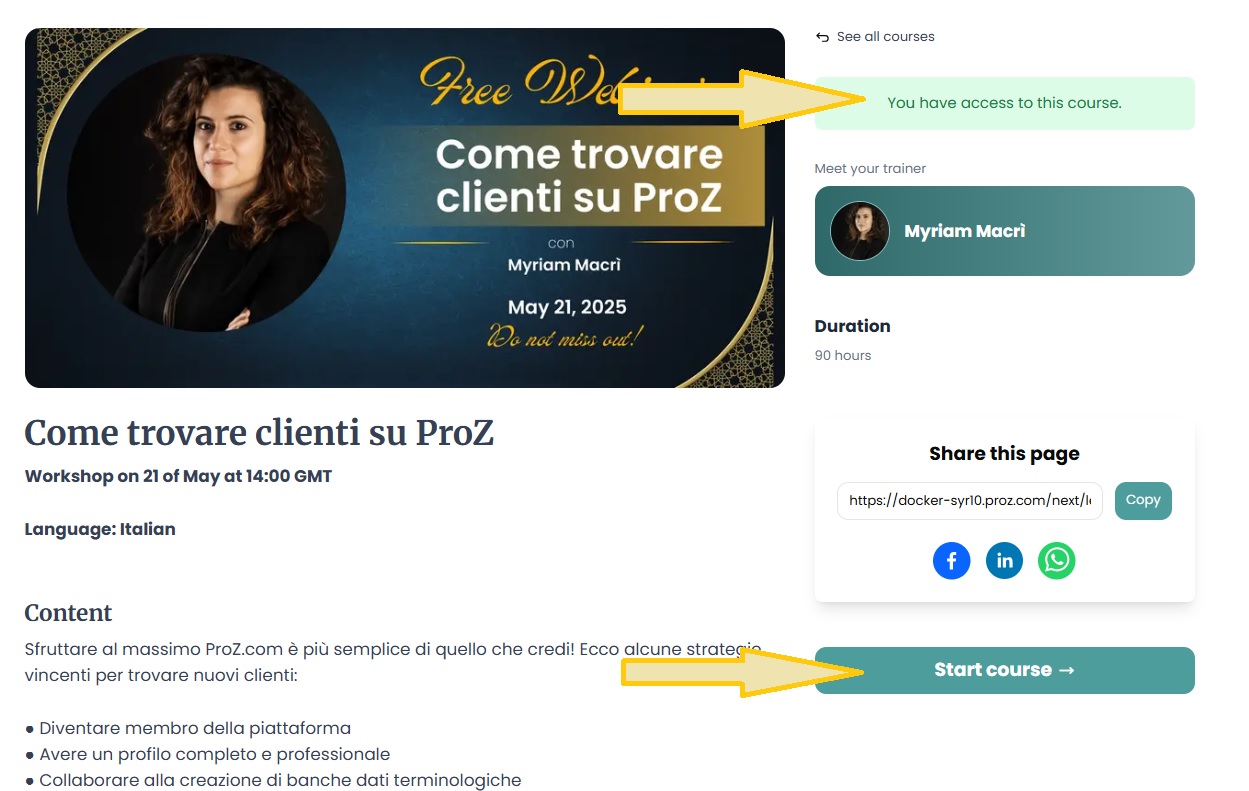
1 - ProZ.com Events: general 1.1 - Can I post information about a translation industry event? Yes, but only once, and in the dedicated forum for event announcements. 1.2 - Что представляют собой профессиональные учебные семинары на ProZ.com? Профессиональные учебные семинары ProZ.com - это специальные практикумы для письменных и устных переводчиков, а также других специалистов, работающих в индустрии перевода с целью приобретения ими дополнительных знаний и навыков. Эти семинары, длящиеся от 1 до 2 дней, проводят профессионалы ProZ.com с многолетним, подтвержденным опытом работы в своих областях специализации. 2 - По каким критериям выбирают преподавателей для проведения учебных семинаров на ProZ.com? Имеется ли для меня возможность стать преподавателем семинара на ProZ.com? Преподавателей для проведения тренингов ProZ.com выбирают на основе их профессиональной компетенции в соответствующей области специализации с учетом предыдущего опыта работы в качестве преподавателя. Если вы являетесь членом ProZ.com с глубокими знаниями в своей области специализации, имеете страстное желание поделиться своими специальными знаниями с другими и опыт работы в качестве инструктора или преподавателя, то вас можно признать пригодным для участия в программе по обучению в качестве оплачиваемого преподавателя. Чтобы узнать больше обратитесь по к Координатору по обучению. 3 - ProZ.com training and events - general information 3.1 - What payment methods are available? Why has my status not changed yet? All payment methods are available (credit card, Paypal, 2CheckOut, Moneybookers, wire transfer in USD or EUR). You will be able to select your payment method in the second stage of the payment process. Also, for some countries, local payment will be available. When paying in local currency (other than EUR and USD), the price of the session will be the course price equivalent in the local currency at the exchange rate of the day of the transaction ( www.xe.com/ucc will be used as a source). 3.2 - What is the cancelation policy for ProZ.com training sessions? ProZ.com workshops and self-paced courses come with a 7-day no questions asked, money back guarantee. In case of paid live sessions (webinars, workshops, meetups) the cancellation can made no later than 72 hours before the live event is due to start. Cancellations must be requested via support request at http://www.proz.com/support. 3.3 - In which currency can I pay for a training session ? All ProZ.com online training fees are available in USD and Euro, but only ProZ.com members in EU member states that have adopted the Euro (the Euro Zone) are charged in Euros. 3.4 - Why does ProZ.com sometimes charge VAT tax within the EU? (This question only affects members in Europe.) 3.5 - Я являюсь членом ProZ.com. Имею ли я право на скидку? Да, для полноправных членов ProZ.com ( а также пользователям с частичным членством типа " сообщество") предоставляются скидки на регистрационный взнос. 3.6 - Я - студент и являюсь членом ProZ.com. Имею ли я право на скидку? Да. Для студентов, являющихся членами ProZ.com, также предоставляются скидки на регистрационный взнос. Некоторые курсы обучения могут включать ограничения на количество выделяемых для студентов мест. Выделение мест для студентов производится на основе раньше всех оплативших свое участие в тренинге членов. 3.7 - The training time is not suitable for me. Are there any other training sessions in my time zone? ProZ.com offers training from 8:00 GMT to 20:00 GMT, since most of the trainers are located in Europe. Please check the list of announced training sessions here, http://www.proz.com/training, as the timetables are usually rotated. 4 - ProZ.com webinars 4.1 - What is a ProZ.com webinar? Webinars at ProZ.com are online training sessions designed for translators and language professionals. They cover a wide range of topics, including language technology, business practices, localization, and more. Webinars can be live or recorded and are typically conducted via Google Meet. 4.2 - Which are the system requirements to attend a ProZ.com online session? Optimal requirements are: 4.3 - How can I book a place in a ProZ.com webinar? To book a webinar, click on the session name listed on the website, then click the 'Buy Now' button. After completing the payment, your registration status will be updated. You must have a ProZ.com profile and be logged in to complete the booking. If you don’t have a profile, you can create one for free in just a few minutes. 4.4 - After I registered, how do I join the online session?
4.5 - How do I find out the time of a webinar in my location?
4.6 - I don’t have a microphone can I still participate in a webinar?
4.7 - Will I have access to a recording of the session? Webinar sessions will be recorded. The video will be added to the training page on the LMS where you originally accessed the join link. You will receive an email notification once the recording is available. 4.8 - I did not attend the webinar and now want to watch the video. Where can I find it?
4.9 - I have not received a notification with the link to access the training platform.
4.10 - I am having technical problems on the webinar. Where can I find information?
4.11 - What is the refund policy?
5 - Я желаю оставить отзыв о тренинге в котором принимал участие. Как это можно сделать? Сразу же по завершении курса обучения, участники со статусом "зарегистрирован, участие оплачено" могут отправить (что приветствуется ProZ.com) свой отзыв об обсуждаемой теме, преподавателе, организации работы семинара и т.п. Комментарии личного характера запрещаются. 6 - ProZ TV Events 6.1 - What is a ProZ TV event? A ProZ TV event is an online broadcast featuring sessions, presentations, and discussions with industry experts on topics relevant to translators and language professionals. These events are hosted on the ProZ.com platform and may include interactive elements like Q&A sessions. 6.2 - How can I register for a ProZ TV event? Visit the ProZ TV event page, select the event you’re interested in, and click the 'Register for this event' button on the top right corner. Most TV events are free to attend, and video recordings are available to everyone for 24 hours after the broadcast. After that, recordings become an exclusive benefit for ProZ.com members. You can also purchase session recordings after TV events at ProZ Learn. 6.3 - Can I interact with the speakers during the TV event? Yes, all ProZ TV events include interactive elements such as live Q&A sessions or chat. You can submit your questions during the broadcast in the Chat, and selected questions will be addressed by the speakers. 7 - ProZ.com self-paced training
7.1 - How is self-paced training delivered? ProZ.com self-paced training is delivered via integrated Moodle at https://lms.proz.com/login/index.php. Once payment is received, a trainee gets access and log in details for the session. 7.2 - Will I receive any proof of having attending a self-paced training session? Attendees will receive proof of completion via a certificate, however each course will have different criteria ranging from testing, hours logged within the Moodle session, attendance at scheduled meetings and other criteria to determine course completion. 7.3 - How long will I have access to the self-paced training after making payment? Access time will depend on the specific type of session and program details. Trainees access to course materials with Instructor assisted training and training with scheduled meetings will end when the specified time period ends. Entirely self-study training will specify duration in the description and may range from a few months to a year. 7.4 - Does self-paced training contain testing, instructor feedback, set times for delivery/meeting? Self-paced training may contain tests, assignments that are submitted for instructor feedback, assignments with due dates, and possibly scheduled webinars or online meeting times with instructors. Each self-paced training session is different; please check the course description and overview. Within each Moodle course there will be instructions and details with this information as well. 8 - ProZ.com Meetups 8.1 - Who can join ProZ.com Meetups ProZ.com Meetups are open to all paying members on ProZ.com, whether they are Professional members or Business members. 8.2 - How do I stay up to date with ProZ.com Meetups? Head to your Notification settings (Other notifications) and make sure to turn on the option to receive notifications about events (virtual and in your area). 9 - Powwows 9.1 - Что такое ProZ.com Powwow? Powwow представляют собой неформальные встречи групп пользователей сайта ProZ.com, проживающих недалеко друг от друга. Эти мероприятия организуются переводчиками для своих местных коллег. 9.2 - Расскажите о происхождении слова «Powwow». Powwow у североамериканских индейцев означает традицию встречаться, иногда с состязаниями в танце. В широком смысле это слово означает дружескую встречу, на которой решаются различные задачи. 9.3 - Что происходит на Powwow? Встречи Powwow предоставляют профессиональным переводчикам возможность неформального общения и позволяют им обсудить профессиональные вопросы. Здесь можно более близко познакомиться с коллегами, принимающими участие в работе сайта. 9.4 - Кто может принимать участие во встречах? Принять участие во встрече может любой зарегистрированный пользователь ProZ.com независимо от наличия членства. Кроме того, приглашаются члены семьи, дети и гости членов, а также переводчики, не являющиеся членами ProZ.com. 9.5 - Являются ли встречи платными? На сегодняшний день powwow являются бесплатными. Однако местные организаторы рассчитывают, что каждый сделает взнос на оплату расходов по проведению встречи. Если это небольшая встреча за чашкой чая или за обедом, возможно, каждый заплатит за себя. В случае более значительных встреч местные организаторы предложат отдельно оплатить стоимость еды, напитков и т. д. 9.6 - Могу ли я брать с собой детей? Приглашать гостей? Да, и членам семьи, и гостям будут рады. 9.7 - Будут ли присутствовать представители ProZ.com? В некоторый случаях будет присутствовать лицо, уполномоченное удостоверить личность участников. Зарегистрированные пользователи могут предъявить уполномоченным представителям документ с фотографией. 9.8 - Когда будет проходить следующая встреча powwow в моем регионе? На этой странице представлены предстоящие встречи powwow: 9.9 - Если я добавлю свое имя, будет ли это означать подтверждение моего участия? Многие из тех, кто добавляет свои имена, хотят лишь получать уведомления о предстоящем событии. Организатору следует рассчитывать, что лишь 40–50% из числа указавших свои имена действительно посетят мероприятие. 9.10 - Как зарегистрироваться для участия в мероприятии? Просмотрите страницу powwow, чтобы найти мероприятие, проходящее в вашем регионе. Нажмите ссылку, относящуюся к этому мероприятию и добавьте свое имя, если желаете принять участие в этой встрече. (Вы можете в любой момент удалить свое имя без каких-либо ограничений или условий). Чтобы добавить примечание рядом со своим именем, введите текст в соответствующее поле и подтвердите ввод. 9.11 - Могу ли я организовать Powwow? Если вы являетесь членом ProZ.com или зарегистрированным пользователем, личность которого удостоверена, вы можете предложить powwow в своем регионе. Для этого необходимо заполнить соответствующую форму на странице powwow. Ваша встреча powwow должна получить одобрение со стороны ProZ.com. 9.12 - I am organizing a powwow and I'd like to invite more people to attend. How can I do it? You can submit a powwow promotion request. To do so click on the "Request promotional email" link at the top of the page of the powwow you are organizing. This will lead you to the page where you can submit your promotion request together with a sample text you can use for the invitation. Note: this feature is only available to powwow organizers 9.13 - I am organizing a powwow and I would like to include an image on the powwow page. How can I do that? Please submit a support request and attach the image you would like to include on the powwow page. Please make sure you also include the link to the powwow you are organizing. 9.14 - Should the text of the invitation to my powwow be in English only? No. You can use the invitation in English provided as a model and translate it into the language in which the powwow will be held. 9.15 - What happens after I submit my promotion request? You will be contacted by site staff with an update of your request status through the support request that is automatically generated after you submit the promotion request. 9.16 - Почему мне не удается найти на странице powwow ссылку «Указать сведения об участниках»? Ссылка [Указать сведения об участниках] на странице powwow появляется через 24 часа и доступна только организатору powwow. Если вы не являетесь организатором, вы можете обратиться к нему и попросить указать ваше участие. 9.17 - Я выгрузил снимки с powwow, но ничего не произошло. На размещение выгруженных вами на страницу powwow снимков может потребоваться до 24 часов. Если снимки не будут отображены через 24 часа, попробуйте выгрузить их повторно или обратитесь в службу поддержки. 9.18 - Получают ли организаторы и участники Powwow баллы BrowniZ? Организаторы Powwow получают 2000 баллов BrowniZ. Участники получают 200 баллов BrowniZ. 10 - ProZ.com conferences - learning, networking and fun!
10.1 - Что такое конференция ProZ.com? Конференции ProZ.com - это региональные или международные мероприятия с оплатой за их участие регистрационного взноса. По сравнению с powwows, эти мероприятия крупнее по географическому охвату участников , имеют более структурный формат и их целевой аудиторией являются письменные и устные переводчики, зарегистрированных на ProZ.com. Их организацией занимаются координаторы конференций ProZ.com совместно с одним или несколькими местными организаторами. 10.2 - Are all ProZ.com conferences conducted in person? No, there are also virtual conferences. Virtual conferences are held online and attended by participants all over the world. For more information about ProZ.com virtual conferences please see the related FAQs. 10.3 - Как зарегистрироваться для участия в конференции? Для регистрации участия в конференции, перейдите на страницу конференции, выберите пакет, который вы хотите приобрести (в левой части страницы, под меню конференции) и нажмите "Приобрести сейчас". Откроется страница платформы оплаты с пошаговыми инструкциями по оплате и различными способами оплаты участия в конференции (в режиме онлайн кредитной картой, через систему Paypal, банковским переводом, через Кошелек ProZ.com, Moneybookers, Paypal...) 10.4 - Как оплатить участие в конференции? Существует несколько способов оплаты, которые варьируются в зависимости от конференции: 10.5 - Отмена регистрации на конференцию Отмена регистрации: "Участники, отменяющие свою регистрацию на конференцию не позднее 30 дней до даты начала конференции, получают свой регистрационный взнос за вычетом 20% (оплата административных издержек). В случае отмены регистрации позднее этого срока регистрационный взнос не возвращается. Возврат регистрационного взноса производится в течение 30 дней после получения письменного запроса об отмене регистрации. Запросы об отмене регистрации должны направляться по электронной почте Координатору конференций ProZ.com И местному Организатору. В качестве альтернативы участники могут перевести свой регистрационный взнос в оплату другой запланированной конференции без издержек, просто оплатив разницу в стоимости. | Request help Site documentation The member services and support team  Jared  Lucia  Helen  Yana  Karen  Hayjor  Andrea  Naiara  Joseph  Saint  Valentin  Laura  Erika  Agostina  Ana |